Frequently asked questions about Stained Glass Gun Flash PNG
Yes. You can create and download PNGs for free. Optional subscriptions provide more creative options and advanced features for developing additional stained-glass effects and action graphics.
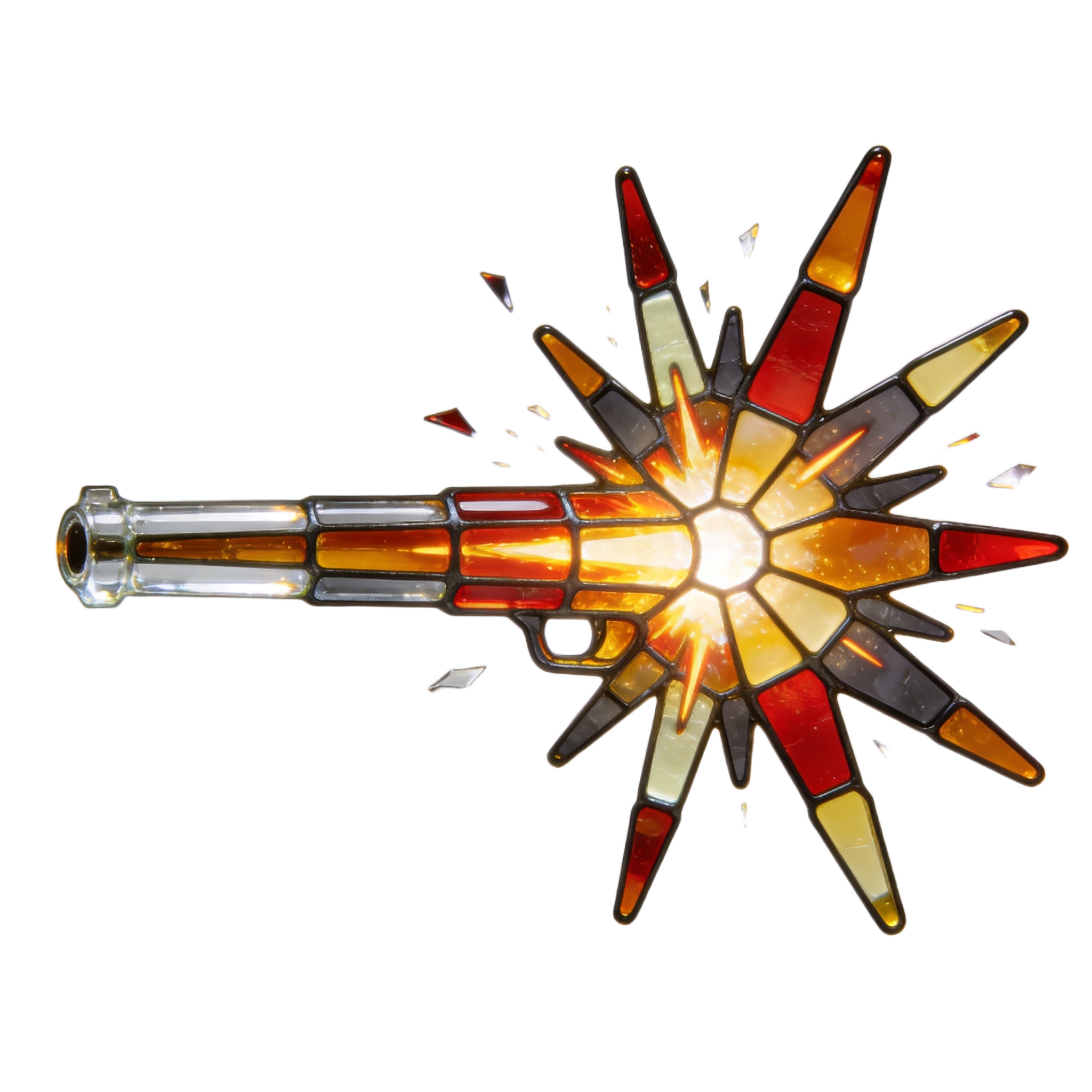
Download the available PNG for use in your composition, or open the PNG generator to make a related design. In the AI workspace, describe the muzzle-flash shape, stained-glass segmentation, shard direction and desired mood, then generate and download your result as a PNG.
Choose a broad burst with long outward shards when you want the flash to command attention and emphasize impact. A tighter shape suits crowded layouts or scenes where the weapon and character should remain the main focus. A clear attachment point also helps the flash align naturally with the muzzle.
PNG supports transparent areas, allowing the flash to sit over a weapon, scene or interface without a rectangular background. JPG does not support transparency and can introduce compression artifacts around sharp shard edges. The downloadable format here is PNG.
Align the clear attachment point with the weapon muzzle and direct the tapered shards into open space. Leave room around the widest part of the burst so its silhouette remains readable, and avoid covering faces, interface elements or other important focal points.
A dark or restrained background can give the segmented burst stronger contrast, while a simplified weapon silhouette keeps the crystalline pattern from competing with fine detail. For a dramatic mood, repeat one or two accent colors elsewhere in the scene to visually connect the flash with the overall composition.